Real Estate Agent Workflow Automation: Tools, Triggers, and Process Maps
Real Estate Agent Workflow Automation
Tools, Triggers, and Process Maps
A workflow automation briefing for real estate agents who want faster lead routing, cleaner listing launches, stronger post-close follow-up, and fewer manual task leaks.

What real estate agent workflow automation actually does
Real estate agent workflow automation connects a trigger, an owner, a time window, and a forced next action for every repeatable business event. A new website inquiry creates a CRM record and a same-day call task. A signed listing starts the launch checklist. A closed transaction starts review, referral, and long-term nurture steps. The software matters, but the process map matters more.
- Workflow automation turns memory-based follow-up into trigger-based execution with visible owners, deadlines, and fail-safe alerts.
- The first workflow to automate is lead intake, because delay is most expensive when a prospect first raises a hand.
- Listing launches and post-close nurture deserve the same operational discipline as new-lead response.
- The strongest systems use simple tools, clear source tags, clean CRM fields, and a monthly review rhythm before adding more software.
Why Workflow Automation Pays Off
Manual follow-up is not a badge of honor. It is a leak. Real estate agent workflow automation turns website inquiries, saved searches, listing milestones, inactive leads, and post-close moments into clear next actions so the agent is not relying on memory while the pipeline keeps moving.
The payoff is not only speed. The payoff is operational clarity. Every lead source gets one naming standard. Every lead gets one owner. Every listing launch follows one checklist. Every past client has one next touch. That structure helps agents protect the highest-value work: conversations, pricing judgment, negotiation, objection handling, and relationship building.
The objective is straightforward: standardize lead intake, listing launches, inactive-prospect reactivation, and post-close follow-up. That usually starts by connecting website activity from IDX pages to the CRM, then routing those contacts into the right email sequence, task queue, and fail-safe alert so the business can grow without adding administrative drag.
- Move response time from whenever someone notices the alert to a defined same-day standard.
- Give every lead, client, listing, and past-client touch one visible owner and one next step.
- Reduce duplicate work by turning common launch tasks, nurture messages, and reminders into reusable operating lanes.
The Automation Stack Agents Actually Need
Every reliable workflow uses three simple parts. A trigger is the event. An action is the result. Zapier, Make, native CRM rules, or website integrations are the bridge that watches the event, checks the condition, and sends the right instruction to the next tool. That is the plumbing. It is not glamorous, but it is where consistency comes from.
The stack does not need to be complicated. For most solo agents and boutique teams, the core layer is a website, a CRM, an email engine, a calendar tool, and a project board. The real question is not which app looks slickest. The real question is whether each event creates a visible next step, an owner, and a time standard. That same logic should support lead-capture work like Why Every Real Estate Agent Needs an IDX-Integrated Website, because traffic only matters if routing works after the click.
Start with the event
The trigger is the moment that starts the workflow: a form submission, saved search, showing request, listing agreement, stale lead, closing date, review request, or repeat website visit.
Route by intent
The condition decides what happens next. A showing request, valuation form, guide download, returning visitor, past client, and cold nurture lead should not receive the same sequence.
Create the visible output
The action can be a CRM tag, email, task, calendar reminder, text alert, project-board item, vendor handoff, or reporting checkpoint. If there is no visible output, the workflow is not accountable.
Protect the handoff
The fail-safe fires when a task is untouched, a sync breaks, a launch stalls, or a sequence keeps running after it should stop. Strong systems assume humans get busy and build backup logic.
Most agents overlook that automation is not about replacing the agent. It is about buying back time for negotiation, objection handling, and face-to-face rapport. High-performance operators track administrative minutes per transaction as a primary KPI. If more than 15 percent of the week disappears into data entry or manual scheduling, the business is still acting like a job.
The First 48 Hours Save The Most Leads
The first 48 hours decide whether a lead becomes a real conversation or another stale name in the database. The workflow should not wait for a quiet moment. It should move immediately from lead capture to acknowledgment, task creation, qualification, and next-step assignment.
Start where the lead first raises a hand. A property inquiry, saved search signup, valuation request, chat submission, missed call, or open house form should create one primary contact record and one active lead source tag. That event should then route the contact into your CRM, stamp the lead source, create a same-day task for a human follow-up, and push the contact into the correct nurture lane. This is where IDX Real Estate Websites and Email Marketing for Real Estate Agents stop being separate line items and start acting like one system.
Capture and acknowledge
Workflow step
ActionCapture the inquiry, stamp the source, create the CRM record, send a useful acknowledgment, and create the first human follow-up task.
OwnerAssign the task to one person, not a shared inbox that everyone assumes someone else is watching.
Fail-safeSend a backup alert if the first task is not touched inside the agreed response window.
Route by buyer or seller intent
Workflow step
ActionShowing requests, saved searches, valuation requests, and guide downloads should not enter the same generic lane.
OwnerGive warm intent to the agent and lighter education requests to the nurture lane.
Fail-safeFlag lead records with missing source, missing stage, or no next action before the end of the day.
Read behavior and adjust
Workflow step
ActionCheck whether the lead opened, clicked, replied, returned to the website, or ignored the first touch.
OwnerEscalate repeat site visits and direct replies into human follow-up instead of leaving them inside generic nurture.
Fail-safeSuppress irrelevant messages when the lead has already converted into a live conversation.
Prevent orphaned leads
Workflow step
ActionEscalate warm behavior, pause dead branches, and keep a clear owner on the next step.
OwnerMove nonresponsive leads into a timed nurture lane with a future task, not an abandoned status.
Fail-safeRequire a due date on every open lead so nothing sits in the CRM without accountability.
A clean intake engine also keeps your marketing analytics honest. One contact, one source, one stage, one owner. That gives you a usable pipeline view instead of a junk drawer. It also makes supportive content assets more valuable, especially when local landing pages follow the structure in IDX SEO: Community Page Blueprint for Agents.
The 3-Pillar Workflow Map
Pillar 1: The Lead Intake Engine. The first automation most teams need is an instant-response sequence with guardrails. The sequence should send a fast acknowledgment, deliver a useful next step, and assign a live follow-up task within minutes. A simple pattern works: instant email, instant CRM tag, five-minute task alert, same-day personal call, and a backup notification if no one marks the task complete.
Build conditions into the bridge logic. If a lead requests a showing, route it differently than a lead who downloads a neighborhood guide. If a contact returns to the site three times in seven days, move them to a warmer segment. If a lead sits untouched for 24 hours, create a red-flag alert. The smartest teams do not ask staff to remember edge cases. They encode edge cases into the workflow map.
Pillar 2: The Listing Launch Sequence. Listing work falls apart when launch steps live in text threads, sticky notes, and memory. Build one repeatable launch board with columns for intake, assets received, copy approved, MLS prep, website live, email queued, social queued, and ad audience ready. The trigger is not the day you remember to market the property. The trigger is the signed listing agreement or the moment seller-approved assets arrive.
Once the trigger fires, the checklist should populate automatically. Create the property page, assign deadlines, notify the coordinator, load the social caption draft, and queue the launch email. This is where Listing Marketing and Social Media Management for Real Estate Agents should follow one operational calendar instead of separate to-do lists.
Pillar 3: The Post-Close Loop. Most agents overbuild acquisition and underbuild reactivation. That is upside-down. Once a client closes, the system should start a referral and reactivation loop with milestone-based touches: a thank-you note reminder, a homeownership check-in, a vendor resource, a market update, an equity review prompt, and a referral ask.
Use one shared board for intake, photography, copy, MLS prep, website updates, social scheduling, email launch, open house promotion, and reporting. The board should move in order so the campaign does not restart every time a detail changes.
Use milestone triggers for review requests, referral prompts, anniversary check-ins, homeownership resources, and equity review reminders. The goal is not more messages. The goal is better timing tied to the relationship stage.
Creative And Messaging That Support The Machine
Automation works best when the messaging fits the moment. The email that follows a saved search should not sound like the message that follows a listing presentation. The social post that supports a launch should not sound like the follow-up copy used for past clients. Write the words to match the trigger, the stage, and the next action you want.
- The 3 Triggers Every Top Producer Automates First
- How To Reclaim 10 Hours A Week With Workflow Maps
- Why Your Manual Follow-Up Is Costing You Listings
- The Lead Routing Fix Most Boutique Teams Still Ignore
- How To Launch Listings Faster Without Adding Staff
- What Happens When Every Lead Gets The Right Next Step
Use a simple CTA taxonomy. Soft CTA: download the workflow trigger map. Mid CTA: get a custom systems audit. Hard CTA: book a marketing review. The rule is simple: do not ask for a high-friction action from a low-intent visitor. Let the automation stage the relationship first, then escalate the ask when behavior says the lead is ready.
Automation Budget And KPI Benchmarks
These are operational benchmarks, not promises. The goal is to estimate the level of stack needed to remove administrative drag and protect speed-to-lead. Start at the lowest tier that gives you reliable triggers, then add layers only when the current system is clean and adopted.
| Automation Tier | Primary Toolset | Monthly Cost | Expected Operational Return |
|---|---|---|---|
| Low Solo | CRM plus basic routing rules for lead alerts and reminders. | $100 to $300 | Recover 5 to 8 hours a week from faster follow-up and fewer manual updates. |
| Mid Team | Website, CRM, routing rules, calendar sync, project board, and template library. | $500 to $1,200 | Recover 15 to 20 hours a week by reducing duplicate work and launch delays. |
| High Growth | Full stack with dashboards, process maps, project board logic, and review cadence. | $2,000+ | Recover 40+ hours a week across intake, launch, reporting, and reactivation. |
Budget should follow adoption, not ambition. If the CRM is full of duplicate contacts and missing source tags, advanced automation will only move bad data faster. Clean the handoff first, then expand the stack.
The 12-Point Automation Readiness Audit
Before you automate anything, audit the path from click to close. This list shows whether the business is ready for triggers or still stuck in workaround mode.
- Clean the CRM and merge duplicate contacts.
- Map every lead source to a single naming standard.
- Verify that each form creates one primary contact record.
- Confirm website lead fields sync to the CRM without loss.
- Check that every lead source gets the correct nurture sequence.
- Audit response-time alerts for same-day follow-up coverage.
- Build one launch checklist for every new listing.
- Store copy, captions, and email modules in reusable templates.
- Assign owners and due times to every automated task.
- Review data hygiene weekly and archive dead workflow branches.
- Set fail-safe alerts for broken syncs, missed tasks, and stalled stages.
- Review the process every 30 days and cut any step no one uses.
Automation is the unfair advantage of the modern real estate operator because it protects consistency when the calendar gets crowded. It does not replace judgment. It protects judgment by removing repetitive work from the path.
What This Looks Like In Practice
A boutique team in a mid-sized market was losing inbound inquiries because response time depended on whoever happened to see the alert first. They rebuilt intake around trigger logic tied to their website, so every inquiry dropped into one CRM, received an instant acknowledgment, and created a same-day follow-up task with a backup alert. They also tied their listing launch checklist to a shared board so copy, website prep, email scheduling, and social distribution moved in sequence instead of in fragments.
Time-to-market dropped because the launch process stopped restarting from scratch every time a detail changed. The team then layered Digital Retargeting onto unbooked site visitors and kept those contacts in a structured nurture lane instead of letting them vanish. The lead agent spent more time in consultations and negotiations because the operational clutter stopped sitting on the front end of the pipeline.
- Automating before documenting makes confusion faster instead of making the business stronger.
- Over-automating personal touchpoints weakens trust when negotiation, inspection issues, pricing, or conflict require a human voice.
- Ignoring data hygiene ruins reporting because duplicate contacts, inconsistent stages, and sloppy source tags break the pipeline view.
- Skipping fail-safe alerts leaves broken triggers unnoticed until a lead, launch, or review request has already stalled.
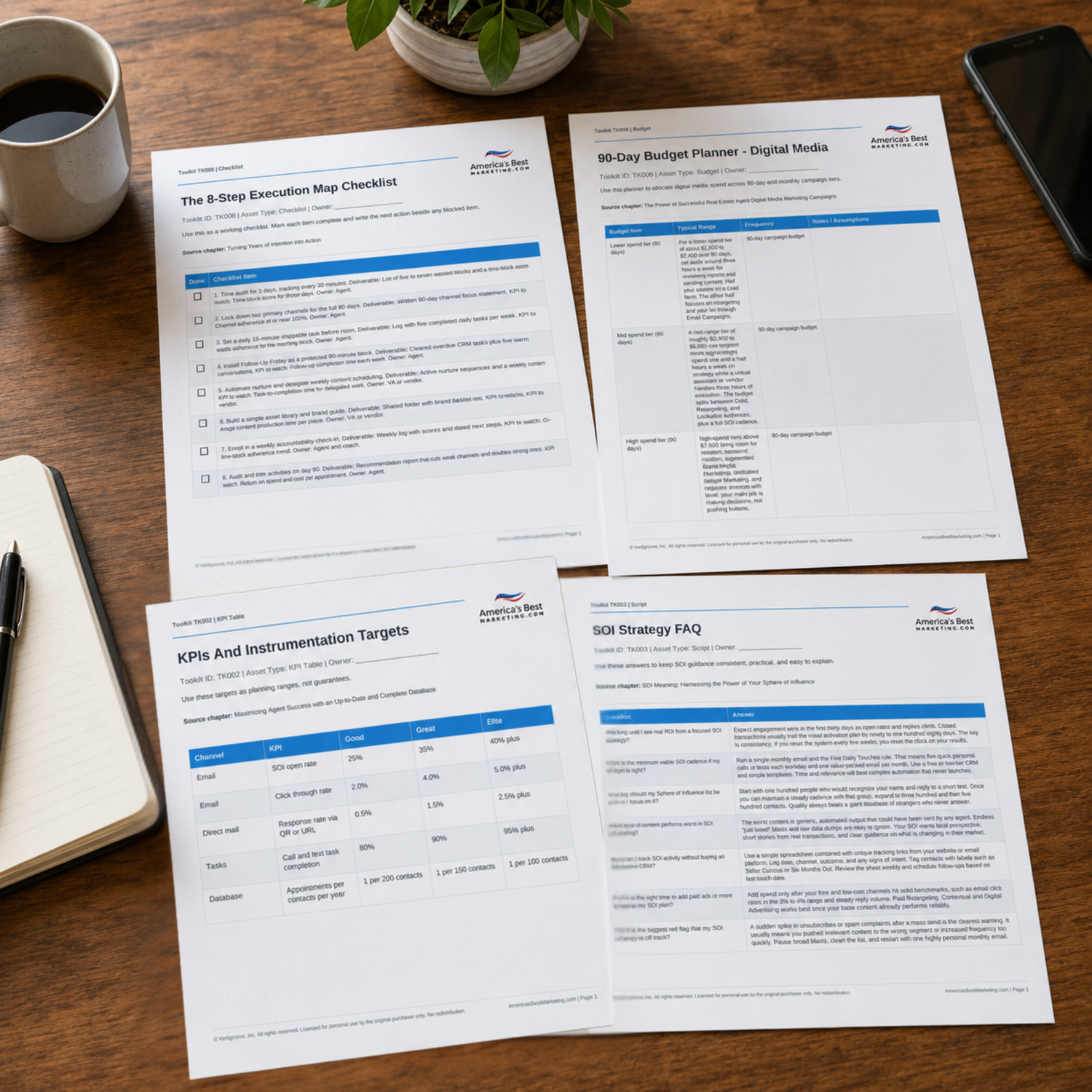
Download The Workflow Automation Planning Pack
Use the companion Toolkit to map lead triggers, launch tasks, KPI checkpoints, creative handoffs, routing decisions, and FAQ scripts before you buy another piece of software.
Download the Toolkit ZIPRecommended reads
Recommended Reads for Real Estate Agents
These articles help agents connect follow-up discipline, database habits, client communication, and marketing execution into a repeatable system.

Client Onboarding System: A Personalized First 30 Days That Improves Retention
Make execution easier to maintain when marketing, follow-up, and client service compete for time.
Read article
AI for Real Estate SEO: What to Automate, What to Avoid, and How to Measure Impact
Turn search visibility into a clearer publishing system for neighborhoods, services, and client decisions.
Read article
The Role of User Experience (UX) in Real Estate SEO
Build organic reach with pages and posts that are easier to find, trust, and act on.
Read article
Delegation for Real Estate Agents: What to Offload First and How to Systematize It
Use systems, delegation, and scorecards to protect the work that creates future business.
Read articleWorkflow Automation Questions Agents Should Be Ready To Answer
How long does it take to see measurable ROI from real estate workflow automation?
Most agents can see operational ROI in 30 to 90 days because the first gains come from speed, consistency, and reduced rework. Measure missed follow-ups, listing launch speed, task completion, and administrative hours recovered before tying every improvement to closed revenue.
What is the biggest mistake agents make with automation triggers?
The biggest mistake is automating a process that has never been mapped. If stages, owners, source tags, and response windows are unclear, automation only moves confusion faster. Document the manual path first, then turn repeatable steps into trigger logic.
Which workflow should a real estate agent automate first?
Start with lead intake because delay is most expensive at the first hand raise. A website inquiry, saved search, valuation request, or showing request should create one clean contact record, one source tag, one same-day task, and one fast acknowledgment.
Do automated emails make a real estate brand feel robotic?
They do when every message is generic and disconnected from the action that caused it. They work when the trigger, message, and next step match the lead’s behavior. Use automation to protect response speed, then bring in human follow-up quickly.
Can a solo agent automate effectively without a full operations team?
Yes. Solo agents often get the fastest benefit because even a few recovered hours change the week. Start with one website trigger, one CRM task, one email lane, one listing checklist, and one review reminder before building a larger stack.
How often should workflow automations be reviewed after launch?
Review new workflows every 30 days until they are stable, then move to a quarterly cadence. Look for duplicate alerts, stale copy, broken syncs, dead branches, and tasks that nobody closes on time.
How do I track leads without an advanced CRM?
Use a spreadsheet or basic contact manager with consistent fields for source, stage, owner, next action, due date, and last contact. The tool can be simple as long as every lead has one visible next step.
Next step
Build the System Behind the Marketing
Continue from one useful article into the larger ABM ecosystem: the book series for strategic depth and the full marketing program for done-for-you execution.

View the Book Series
Explore the America’s Best Real Estate Agent Marketing System books for a deeper strategic framework around visibility, referrals, listings, lead generation, and growth.
View the Book Series
See Full Marketing Program
See how AmericasBestMarketing.com runs real estate blog writing, social media, listing marketing, email, direct mail, and retargeting as one managed system.
See Full Marketing Program