Use AI to Cut 10+ Hours/Week
The Agent’s Revenue-First Tech Stack Guide
A revenue-first AI automation briefing for real estate agents who want cleaner lead routing, faster follow up, tighter reporting, and more hours for live client conversations.

AI automation for real estate agents
AI and automation help real estate agents reclaim ten or more hours each week when the stack is built around repetitive work, not gimmicks. The highest-value use cases are drafting content, routing new leads, triggering follow up, summarizing performance, and keeping the CRM clean enough that every workflow supports a real appointment.
- Build one connected stack so leads, tags, tasks, and follow up all live in the same operating system.
- Use AI for drafting and repurposing, but require human review for local references, clarity, and compliance before sending.
- Roll automation out over four weeks so content, routing, reporting, and review tighten in a controlled sequence.
- Judge success by hours saved, speed to lead, replies, appointments, and signed agreements instead of vanity metrics.
- Protect performance with clean CRM data, opt in discipline, and regular message quality checks every week.
Why AI Time Savings Beat Lead Hype
Most agents hear about AI and picture hacks that promise leads without effort. The real advantage is time arbitrage where machines handle repetitive work so you can focus on pricing strategy, negotiations, and face to face meetings.
Generative AI writes draft captions, emails, and summaries. Automation chains that work behind the scenes trigger follow ups, assign leads, create tasks, and schedule appointments. Your tech stack is the small cluster of tools that share this load such as CRM, IDX site, email platform, social scheduler, and basic reporting layer.
Paired with the mindset in Are You Focusing Your Time on the Right Activities to Grow Your Real Estate Business, this system turns AI from a shiny object into a controlled capacity play.
- The shiny tool trap starts when agents buy tools because a peer mentioned them instead of solving a clear problem like slow follow up or messy reporting.
- The set and forget fantasy shows up when automations never get reviewed and start sending the wrong message to the wrong people.
- The generic AI voice problem appears when content sounds like a robot instead of a specific local agent with a view on the market.
- Data isolation limits the whole stack when leads sit in inboxes or on your website instead of inside the CRM where tagging, routing, and reporting live.
Build A Simple Revenue First Tech Stack
A useful AI stack starts with a serious CRM that holds every lead, every tag, and every activity. Add strong IDX Real Estate Websites so registrations flow straight into that CRM without manual keying. Layer in one AI writing tool, a social scheduler, and an email engine that can send both campaigns and automations.
The goal is simple. Every lead source flows into one system. Every important status change triggers a follow up. Every week you get a clear picture of leads, appointments, and pipeline. Pair that with a plan from Focused Real Estate Activities: How Successful Real Estate Agents Prioritize What They Can Control so the time you win back from AI is redirected into the work that matters most.
Connect your AI writer to your scheduler and email platform so one property URL or one bullet list can turn into captions, subject lines, and nurture messages. Use Email Marketing for Real Estate Agents to handle the heavy lifting on templates, deliverability, and list management while AI handles first drafts.
Keep every lead in one system
Use tags, statuses, source fields, last contact dates, and next tasks so the CRM becomes the command center instead of a storage bin.
Route website registrations, referrals, open house sign ins, and social inquiries into the same record structure.
Draft faster without losing voice
Feed AI examples of your strongest emails, listing captions, and market updates so drafts start closer to your actual style.
Require a human edit for local references, compliance language, message clarity, and one clean call to action.
Measure appointments, not noise
Track reply time, reply rate, booked appointments, signed agreements, and hours saved so the stack earns its keep.
Use one weekly report that shows what moved, what stalled, and what needs a copy or routing adjustment.
Agents consistently overlook data hygiene as the single point of failure for automation. Once CRM data becomes incomplete, duplicated, or stale, every automated email, routing rule, and report starts working against you instead of for you. Protect your stack with a short data integrity window every Friday where you clean ten to twenty records and fix names, phone numbers, and last contact dates.
The Four Week AI And Automation Onramp
You do not need a full rebuild to benefit from AI. You can add a thin layer of automation over your current tools during one focused month. The key is to move in order and finish one small promise each week instead of chasing five ideas at once.
Connect drafting to publishing
Choose one AI writing tool that can pull context from a URL and hook it to your social scheduler and email system.
Route new inquiries faster
Set up lead routing so every new inquiry gets an instant and relevant reply.
Report on what matters
Set up reporting so you stop guessing and start seeing reply patterns, booked appointments, and source quality.
Review before scale
Review and refine so your voice and brand stay intact before you add spend, new channels, or extra automation paths.
- Secure a CRM that supports tags, basic automations, and simple integrations so you are not trapped in manual updates.
- Choose one AI writing tool and feed it real examples of your voice so captions and emails start from your style instead of a generic script.
- Draft five core pieces of content: three social posts and two nurture emails that speak directly to buyers and sellers in your main zones.
- Map every lead source into a diagram that shows where each new contact first appears and where it should land inside the CRM.
- Build one instant reply path for online leads so a new registration triggers a text and an email that invite a clear next step.
- Design a short drip to nurture path with five touches that move a cold lead toward a quick call or saved search invite.
- Set up a weekly AI generated summary that pulls opens, clicks, replies, and appointments into one short report you will actually read.
- Write your human edit rule so no AI draft goes out without a quick pass for local references, plain language, and one clear call to action.
- Test five edge cases such as out of area leads, referrals, and seller inquiries to confirm routing and messages still make sense.
- Decide what to stop doing manually so the hours you reclaim move straight into appointments, offer writing, or follow ups with your sphere.
As this system settles in, you can add touches like Retargeting and Contextual Ads that reuse AI written copy in display and social campaigns. You can also plug in Direct Mail Marketing that mirrors the same themes in print so your message stays consistent across channels.
Automation Scripts You Can Plug In Today
Scripts matter because automation only works when the first message feels natural, specific, and easy to answer. Use these starter workflows as operating patterns, then edit them until they sound like your real client conversations.
Instant New Lead Reply From Website Or IDX Form
First textThank you for checking out this property. Quick question. Are you already working with a real estate agent.
First email subjectDetails on the home you just viewed plus next steps.
Follow up ruleIf there is no reply within ten minutes, send a second text that invites a short call or text based tour.
TriggerNew lead created from your website or IDX Real Estate Websites.
ActionSend text and email from the CRM with the script above.
TaskCreate a same day follow up call if there is no reply after twenty four hours.
Watch reply time and reply rate. If reply time climbs or reply rate drops, the message is too long or too vague and needs a fresh edit.
Nurture Cold Leads With AI Written Market Updates
Subject lineYour local market moved this week. Three numbers that matter.
Body leadOne sentence that states the main change such as inventory or average days on market.
CloseOne question that asks if a move in the next twelve months is still on their radar.
TriggerLead tagged as nurture inside the CRM.
ActionSend one market update email each month with AI drafted bullets and a human edited intro.
RoutingAuto tag any reply as warm and create a follow up call task.
Treat this as a long game. The list may read quietly for months then suddenly respond when life circumstances line up with your consistent presence.
Seller Check In Sequence After A Listing Appointment
Same day textThank you again for the time today. I am excited to help you map the best move for your family.
Next day emailShort recap of goals plus a link to your marketing plan or Listing Marketing overview.
Week one touchQuick text to confirm questions, concerns, or shifts in timing.
Meeting notesUse AI to turn your notes into a two paragraph summary that reinforces their goals in their own words.
Voice editEdit the first two sentences so they sound exactly like how you talk about value in person.
Template saveSave each final version as a template inside the CRM so future sends move faster.
This sequence protects hard won listing appointments and keeps sellers anchored to your process even if they are still interviewing other agents.
Budget Tiers That Match Your Capacity
Your AI stack should feel like a controlled experiment, not a gamble. Think in ninety day blocks of time and money so you can judge the return with clear numbers. Use one starter tier when you are building the muscle and a mid range tier when you want to lean into leverage.
Start with one useful workflow
Plan to invest one hundred fifty to three hundred dollars over ninety days. That usually covers a basic CRM upgrade plus one AI writing tool. Focus on your sphere and past clients first. Send two AI drafted and human edited emails each month and share three social posts each week. Cap touches at one per channel per day for any contact.
Add managed channels after proof
Expect to invest five hundred to twelve hundred dollars over ninety days once you have proof of concept. Layer in Social Media Marketing, light integration work, and a reporting dashboard. Split your list between past clients and a clear geographic farm. Limit paid impressions with simple frequency caps so people see you often without feeling chased.
High commitment setups often make more sense when a vendor runs the stack. The math still runs through the same question. How many hours did you buy back and how many real conversations did those hours fund.
Creative Briefs For AI Assisted Campaigns
Listing consultation campaign
Goal: book listing consultations from time poor owners who already follow you. Audience: homeowners in your main farm who engage with your content but never raise a hand. Creative: short AI drafted social series that covers pricing, timing, and prep with your stories layered on top. Headline: You Can Buy Back Time On Your Next Move. CTA: reply with move to get a quick plan.
Cold registration nurture
Goal: turn cold registration leads into live buyers. Audience: online visitors who registered on your IDX site and then went quiet. Creative: AI assisted email mini course that teaches how to win in your current market using real examples. Headline: Three Smart Moves Buyers Use In This Market. CTA: click to see homes that fit your plan on your IDX Real Estate Websites.
Track The Numbers That Prove Your Stack Is Working
AI is only useful when it shows up in your numbers. That means you track more than likes and views. You track time saved, leads touched, replies, appointments, and signed agreements. The table below gives target ranges for a lean stack and the first adjustment to make when results slip.
| Metric | What it shows | Target range | Action when off |
|---|---|---|---|
| Reply time | Speed of first response to a new lead. | 0 to 2 min | Shorten messages and fix routing rules if replies are slower. |
| Email opens | Strength of automated nurture subject lines. | 20% to 35% | Refresh subject lines and clean lists when rates fall below target. |
| Booked appointments | Conversion from replies into live appointments. | 30% to 50% | Rewrite calls to action and tighten follow up if this rate slides. |
Use UTMs or simple vanity links so each AI assisted campaign has its own trail into the CRM. A short weekly report that shows channel, lead source, and booked appointments is worth more than a long report that only talks about impressions. If open rates or reply rates drop for two weeks in a row, treat that as a signal to pause and edit copy.
Compliance, Ethics, And A Simple Case Pattern
Automation does not change your obligations around fair housing, privacy, or consent. Never point AI tools at targeting that slices by protected classes or uses language that implies preference in that direction. Keep every email sequence compliant with clear unsubscribe links and a real physical address. Do not auto send texts without a clear opt in trail that you can explain to a client.
Data hygiene is also an ethics issue. Scraping contact info from dark corners of the internet can look clever in the moment and expensive later when regulators or platforms notice. Build your list through lead magnets, Email Marketing for Real Estate Agents, open house sign ins, and events so every contact understands why they hear from you.
Here is a simple pattern. A solo agent who focuses on higher price listings was burning twelve hours each week on social captions and weekly reports. She added one AI writer and a routing tool tied to her CRM. AI drafted first pass captions for her Listing Marketing posts and the router sent web leads into a seven touch nurture path. She reclaimed ten hours each week and used them for coffee meetings with past clients, which led to several new listings from her sphere.
Put This Plan Into Action
Use this chapter as a tech stack checkpoint before you buy another tool. Map the CRM, website, email platform, scheduler, AI writer, and reporting layer you already use, then identify the one workflow where automation can reclaim the most time without weakening quality control.
Then build a four week rollout. Start with drafting and repurposing, tighten lead routing, add a weekly scorecard, and require human review before anything client facing goes out.
AI and automation are not here to replace the agent. They are here to replace busywork so the agent can spend ten or more hours each week in live conversations, strategy sessions, and listing appointments.
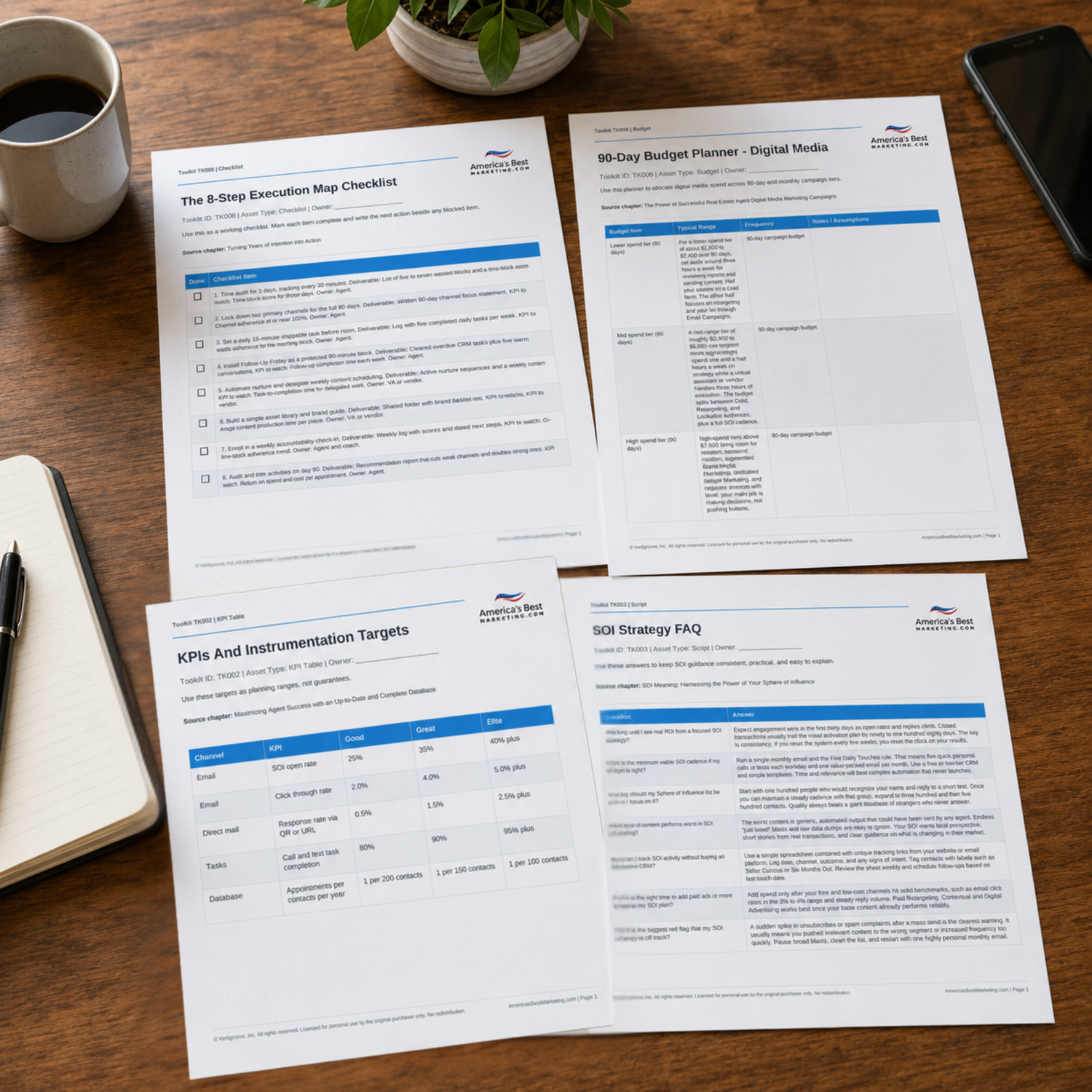
Turn the AI Automation Plan Into Weekly Execution
Download the companion Toolkit to pressure test your CRM, lead routing, AI drafting process, reporting rhythm, campaign budget, and follow up scripts before your next automation rollout.
Download the Toolkit ZIPRecommended reads
Recommended Reads for Real Estate Agents
These articles help agents connect follow-up discipline, database habits, client communication, and marketing execution into a repeatable system.

Real Estate Tech Trends for Agents in 2026: What to Adopt, What to Skip, and Why
Adopt AI where it reduces friction, not where it weakens trust or adds noise.
Read article
High-End Buyer/Seller Tech Stack: Tools and Systems Luxury Agents Use
Create more leverage from high-end buyer/seller tech stack with a clear path from attention to follow-up.
Read article
Best Website Builders for Real Estate Agents: Costs, SEO Tradeoffs, and Setup Tips
Bring more structure to website builder decisions so every touchpoint supports visibility and trust.
Read article
AI Beyond Lead Generation: Using AI to Boost Real Estate Agent Productivity
Turn automation into cleaner workflows for content, follow-up, and weekly execution.
Read articleAI Automation Questions Real Estate Agents Should Be Ready To Answer
How long does it take to see measurable return from AI and automation?
You usually feel the time savings in the first thirty days once core workflows go live. Revenue impact takes longer because listings and closings move on their own calendar. Judge the first ninety to one hundred twenty days by appointments booked and quality of conversations, not just closed volume.
What is the minimum viable cadence if my budget is tight?
Start with one AI writing tool and a CRM that can send simple sequences. Aim for three AI drafted and human edited touches each week across email and social. Make sure every new lead gets an instant text and email reply. Use the time you save to make more personal calls to your sphere.
How large should my list or audience be before I invest in automation?
You can start meaningful automation with five hundred contacts in your database. That is enough to spot open rate and reply patterns without feeling random. For paid reach, a local audience size between ten thousand and fifteen thousand people is plenty to test creative and copy without wasting spend.
What kind of AI generated content tends to perform the worst?
The weakest content is long, dense, and clearly written by a robot. Posts that never mention local streets, price ranges, or real client problems feel disposable. Any message that ends without a clear next step also hurts performance. Keep copy short, specific to your market, and anchored to one simple call to action.
How can I track performance if I do not have an advanced CRM yet?
Use simple tools. Create vanity links that point to key pages and record visits, calls, and replies in a spreadsheet. Track how many leads or appointments come from each link and campaign. Many entry level email tools still show open and click rates which is enough to decide what to send more often.
When should I scale ad spend or expand my territory?
Scale spend only after your current stack shows a repeatable appointment pattern with fast reply times, steady booked calls, and clear source tracking for several consecutive weeks. Expand territory once your routing rules are clean, reply times are fast, and service levels are consistent. Growth is earned by consistency, not by adding zip codes too early.
What is the biggest red flag in an AI powered tech stack?
The biggest red flag is when clients start saying your messages feel cold or confusing. That usually means AI drafts are going out without human review. Pause the sequences, tighten your data, and rewrite your core scripts. Automation should sound like a sharper version of you, not a stranger.
Next step
Build the System Behind the Advice
Continue from one useful article into the larger ABM ecosystem: the book series for strategic depth and the full marketing program for done-for-you execution.

View the Book Series
Explore the America’s Best Real Estate Agent Marketing System books for a deeper strategic framework around visibility, referrals, listings, lead generation, and growth.
View the Book Series
See Full Marketing Program
See how AmericasBestMarketing.com runs real estate blog writing, social media, listing marketing, email, direct mail, and retargeting as one managed system.
See Full Marketing Program