Before & After Content for Real Estate Agents: Photo + Copy Frameworks That Convert
Before & After Content for Real Estate Agents
Photo + Copy Frameworks That Convert
A listing-transformation playbook for real estate agents who want matched photos, PSR captions, a seven day rollout, and proof assets sellers can understand fast.

Turn Transformation Into Seller Proof
Before and after content works when the visual comparison is honest, repeatable, and tied to seller economics. Match the camera angle, explain the problem, show the solution, and name the result so the viewer understands why preparation, presentation, and marketing can protect perceived value.
- Match framing, camera height, and crop so the transformation reads as proof instead of manipulation.
- Use PSR captions: problem, solution, result. That structure turns a good image into a seller conversation.
- Repurpose each transformation across carousel, reel, email, story, and mail so one proof asset compounds.
- Track clicks, saves, replies, and profile visits instead of optimizing for vanity engagement.
Why This Pays Off
Visual proof is the fastest way to justify your process without asking a seller to take your word for it. Before and after content shows the gap between a raw property and the version the market is more likely to notice, click, save, tour, and remember. That gap is not decoration. It is the perceived-value delta.
The best listing content does not simply show pretty rooms. It makes the agent’s role visible. The seller sees preparation. The buyer sees possibility. The agent gets a reusable proof asset that can be published across Listing Marketing, social, email, and direct mail instead of being trapped inside one listing post.
When a transformation is framed correctly, it filters the audience. Serious sellers notice process, not hype. They can see that the agent is thinking about presentation, buyer psychology, and conversion before the sign goes in the yard.
Sell The Delta, Not The Decor
The core idea is gap analysis. You are visualizing the difference between what a property looked like before preparation and what it communicates after the work is done. The camera becomes the receipt. The caption becomes the translation. Together, they show why presentation changes buyer behavior.
Perception delta
Vacant, cluttered, or unclear space becomes intentional. The buyer stops guessing how the room functions.
Function delta
Layout, scale, and flow become easier to understand. The buyer sees usable square footage instead of awkward space.
Condition delta
Obvious wear is corrected or contextualized. The buyer stops pricing in unknown risk before touring.
Story delta
The listing becomes a narrative. The buyer can imagine ownership instead of simply browsing photos.
The most valuable before and after is not always the renovated kitchen. It is the shift in market perception. Track whether the new lead photo earns the next click, then use the result as seller proof in future listing presentations.
Shoot, Edit, Post, Repurpose
Step 1: Capture the raw frame. Pick three hero angles per room and make them repeatable. Use a tripod, mark the floor position, note the camera height, and keep the focal length consistent so the viewer trusts the comparison.
Step 2: Improve the room with a narrow objective. The purpose is not to show off furniture. The purpose is to remove confusion, clarify scale, improve flow, and present the room in a way buyers can process quickly. If the staging is virtual or AI-generated, disclose that clearly.
Step 3: Write the PSR caption. PSR means problem, solution, result. Problem explains what the buyer could not see. Solution names the change. Result connects the transformation to clicks, showing activity, perception, or seller confidence.
Step 4: Push the asset through the channel stack. One transformation should become a carousel, short reel, story sequence, sphere email, and direct mail panel. The workflow pairs naturally with Social Media Marketing because the proof can be repeated without feeling stale.
The Seven Day Rollout
- Day 1: Publish the carousel with before, after, detail, and one sentence result. Pin it for seven days.
- Day 2: Cut a short reel with text that says what buyers could not see before.
- Day 3: Use a story sequence with a poll asking which image earns the click.
- Day 4: Email your sphere with one image pair, PSR copy, and one reply-driven question.
- Day 5: Publish a local proof post that explains the seller-facing process behind the change.
- Day 6: Turn the strongest pair into a direct mail insert or postcard panel.
- Day 7: Post the behind-the-scenes lesson so the transformation becomes a repeatable capability statement.
Buyers consume the rollout as a listing story. Sellers consume it as evidence that your preparation and marketing process can make value easier to see.
Copy That Converts The Visual
The image earns attention. The caption earns the reply. Keep the language tight, avoid exaggerated claims, and connect the transformation to the business outcome a seller actually cares about: better perception, better buyer clarity, and a stronger path to appointments.
Perception delta
Problem: Buyers could not tell what this room was for. Solution: We staged it as a true office and corrected the lighting. Result: The photo now gives buyers a reason to click deeper.
Condition delta
Problem: The photos made the home feel tired. Solution: Paint, hardware, and cleaner light temperature changed the first impression. Result: The listing reads cared-for, not compromised.
Story delta
Problem: Great house, no emotional hook. Solution: We re-shot the lead image and rebuilt the listing sequence. Result: The buyer sees a home story, not a random gallery.
Use a soft CTA when the audience is browsing, a mid CTA when they are evaluating your process, and a hard CTA only when the content has already created intent. Examples include downloading a listing prep checklist, viewing more transformations on IDX Real Estate Websites, or booking a strategy conversation.
The Delta Scorecard
Before and after content should not be judged only by likes. It should be judged by whether the transformation creates measurable movement toward a listing conversation.
| Metric | What to track | Why it matters |
|---|---|---|
| Lead photo CTR | Clicks from listing grid or post to the detail page. | Shows whether the after image earns the next click. |
| Saves per 1,000 views | How often viewers save the transformation for later. | Signals future intent and content usefulness. |
| Reply rate | DM replies, story replies, and email replies from the asset. | Proves the caption and CTA created a conversation. |
| Profile-to-site clicks | Clicks from social proof library to your website or consult page. | Connects content consumption to pipeline behavior. |
The Ten Point Transformation Audit
- Before and after framing matches: same corner, same height, same crop.
- Lighting is consistent and does not exaggerate the difference.
- The after image reads clearly at thumbnail size.
- Virtual or AI-generated changes are disclosed in the caption.
- The caption follows PSR and includes one concrete detail such as cost, time, or scope.
- Text overlays are short, readable on mobile, and not crowded.
- The carousel order is before first, after second, detail third, result fourth.
- One CTA is selected and matched to the viewer stage.
- The post is saved to a permanent highlight or grid section, not only Stories.
- Tracked links are used so follow-up can be measured.
Elena Rebrands A Stale Listing
Agent Elena faced a cluttered, dated listing that had failed to sell with a previous firm. She documented the original condition, implemented a cleaner staging plan, captured matched after visuals, and relaunched the property with a transformation carousel and stronger visual story.
The new content gave the seller a clearer narrative and gave buyers a better first impression. More importantly, Elena gained proof she could reuse in listing presentations: a simple visual explanation of how preparation, presentation, and distribution can change how the market sees a property.
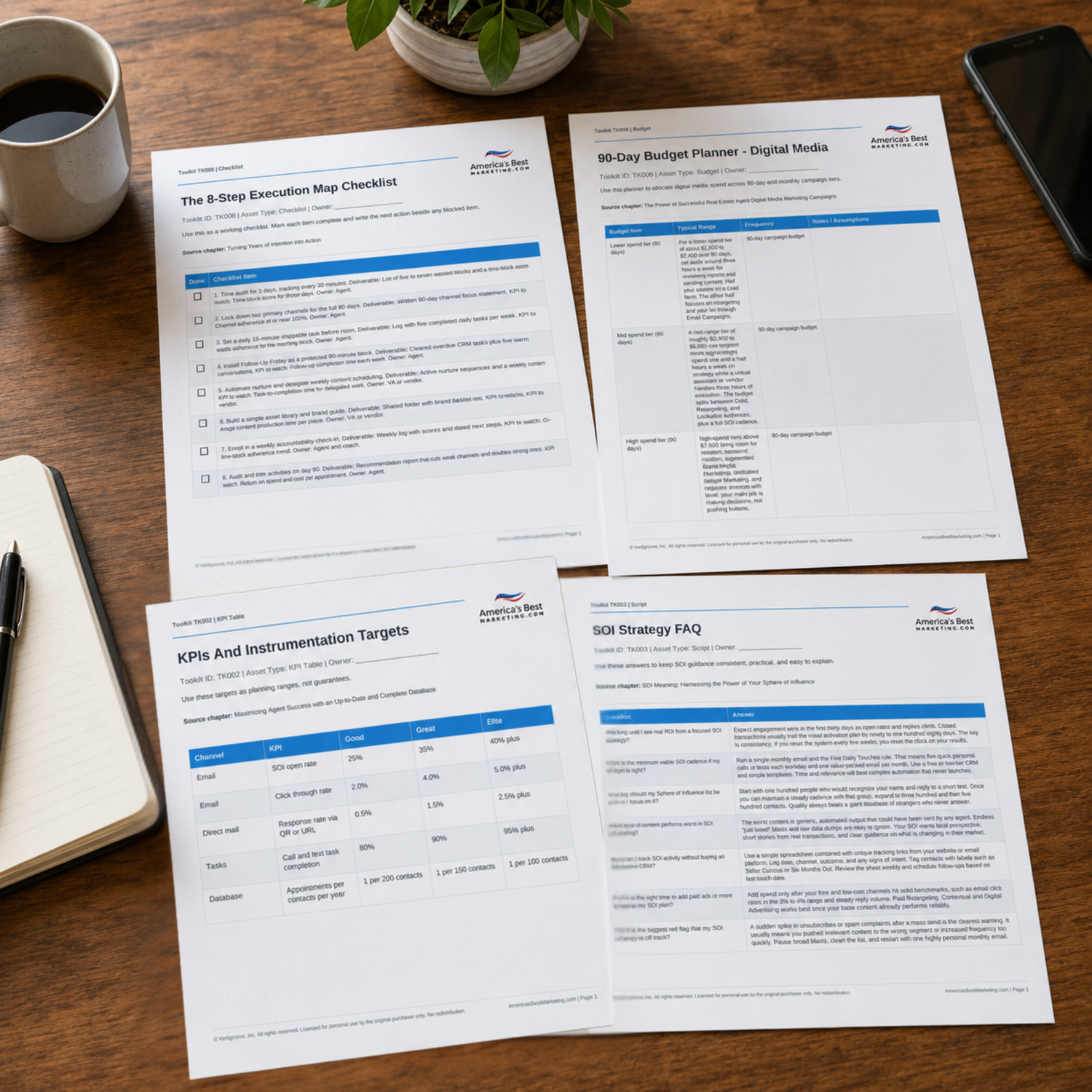
Download The Before And After Content Toolkit
Use the companion Toolkit to run the transformation quality audit, plan the seven day rollout, compare content formats by channel, and track before and after performance with a practical KPI sheet.
Download the Toolkit ZIPRecommended reads
Recommended Reads for Real Estate Agents
These articles help agents connect listing visibility, seller education, marketing channels, and follow-up into a clearer growth system.

Tips for Taking Professional Real Estate Photos
Use listing content to attract attention, explain value, and create better seller conversations.
Read article
Virtual Staging and Design Software: Agent Workflow, Pricing, and Quality Checklist
Make listing promotion feel planned instead of improvised, from pre-market to post-sale follow-up.
Read article
Google Business Page Photos, Posts & Q&A: A 30-Minute Weekly Routine
Turn Google Business Profile photos, posts, and Q&A into a steady operating habit, not another task that waits for a quiet week.
Read article
Agent Spotlight Templates Real Estate Agents Can Publish Fast
Build authority with content topics that are easier to plan, promote, and connect to follow-up.
Read articleBefore And After Content Questions Agents Should Be Ready To Answer
What apps are best for creating before and after sliders?
Canva, simple collage tools, and native carousel posting work well. Keep color temperature consistent and avoid heavy filters so the transformation reads as believable, not edited for drama.
Can I use before photos from a previous listing agent?
Only with clear written permission from the rights holder. Listing photos are typically copyrighted, and permission can be separate from the listing agreement. When in doubt, reshoot your own frames or request a license in writing before publishing.
How long to see measurable ROI from visual content?
You can measure early signal in days. Track link clicks, saves, and replies per post, then compare those numbers after your first four transformations. The compounding effect shows up when your profile becomes a proof library sellers browse before they call.
What content performs worst in the before and after niche?
Weak deltas and mismatched framing usually flop. A tiny change with no story feels like filler, and buyers scroll past it. Another low performer is a great after photo with no process notes. Without PSR copy, the viewer cannot connect the change to value.
How do I disclose virtual or AI-generated transformations without killing engagement?
Disclose in plain language and keep it short. Example: virtual staging shown. Then focus the rest of the caption on purpose, such as clarifying room function and scale. Buyers care less about the tool and more about whether the plan is believable.
What is the simplest way to get matching before and after angles?
Mark the tripod location and camera height, then take a reference photo that includes the floor marker. Use the same lens setting each time and keep vertical lines straight. Consistency beats perfection because it builds trust.
How do I turn one transformation into an email that generates replies?
Use one before and after pair, then write three short blocks: what was wrong, what changed, what buyers do next. Finish with one question that invites a response. Run it through Email Marketing for Real Estate Agents so the cadence stays consistent.
Next step
Build the System Behind the Proof
Continue from one useful article into the larger ABM ecosystem: the book series for strategic depth and the full marketing program for done-for-you execution.

View the Book Series
Explore the America’s Best Real Estate Agent Marketing System books for a deeper strategic framework around visibility, referrals, listings, lead generation, and growth.
View the Book Series
See Full Marketing Program
See how AmericasBestMarketing.com runs real estate blog writing, social media, listing marketing, email, direct mail, and retargeting as one managed system.
See Full Marketing Program