Live Streaming Q&As for Real Estate Agents: Topics, Scripts, and Promotion Plan
Live Streaming Q&As for Real Estate Agents
Topics, Scripts, and Promotion Plan
A live-video briefing for real estate agents who want stronger topics, cleaner scripts, better promotion, sharper replays, and measurable follow-up from every Q&A session.

Turn Every Live Q&A Into A Trust Asset
Real estate agents should run live streaming Q&As by choosing one specific local buyer or seller question, promoting it before the stream, teaching in a hook-value-CTA structure, and turning the replay into clips, an email recap, a website asset, and follow-up conversations. The goal is not to perform for a huge live audience. The goal is to create a repeatable trust asset that keeps working after the stream ends.
- One focused local question will outperform a broad market update because viewers can immediately see the value.
- A twenty minute live session is enough when it has a clear hook, three core answers, and one next step.
- Promotion should begin before the stream with email, social teasers, same-day reminders, and a pinned CTA.
- The replay matters as much as the live session because it becomes clips, a recap, a site page, and future follow-up fuel.
Why Live Q&A Pays Off
Live video compresses trust building. A prospect can hear your cadence, see how you explain risk, watch how you handle uncertainty, and decide whether you feel credible before the first private conversation. That is why live streaming works especially well for real estate agents. The audience is not only judging information. They are judging judgment.
The better operational mindset is to treat live streaming as a content factory. A single session can feed your social calendar, your email list, your website, your Google Business activity, and your retargeting pool. Start with the fundamentals in Real Estate Agent Video Marketing: Boost Conversions and Engage Clients with Effective Videos, then use a live show format to turn expertise into visible proof.
Engagement stacking makes the session easier to manage. Your first ask should be simple, such as a poll, a one word comment, or a request for the replay notes. Your second ask can be higher intent, such as inviting viewers to reply with their timeline. Your final ask should be a direct conversation prompt for people who want a private plan.
- Use live sessions to answer real friction points instead of filling airtime with generic market commentary.
- Keep neighborhood discussion tied to objective factors such as commute patterns, property features, lot sizes, school assignment boundaries, and price bands.
- Treat financing, contract, tax, and legal commentary as education, then direct viewers to the licensed professional who can advise on their situation.
Build The Live Q&A Content System
Live Q&A fails when the topic is too broad. A stream titled market update feels optional. A stream titled three appraisal issues that kill deals in your county feels specific, useful, and timely. The sharper the topic, the easier the promotion, the better the replay title, and the clearer the follow-up.
Build the topic list from your own pipeline. Review the last twenty questions you answered in consult calls, buyer texts, listing appointments, inspection panic moments, and lender conversations. Group them by buyer risk, seller risk, pricing, timing, financing, offer structure, inspection, negotiation, and moving logistics. Each cluster can become a monthly theme.
Group topics by real friction
Use questions clients already ask: rate reality checks, seller concessions, inspection surprises, new build contract clauses, appraisal gaps, and down payment myths.
Give every topic a location cue
Add a city, county, price band, property type, or local timeline cue so the session feels relevant instead of generic.
Protect the replay
Open quickly, avoid five minutes of small talk, and restate the promise so replay viewers understand why they should stay.
Your on-camera environment should support the brand. Use a clean frame, stable lighting, readable on-screen text, and one branded visual system. If thumbnails, graphics, or video frames look dated, fix the base design language first using The Power of High-Quality Marketing Design vs. Static and Dated.
Pro insight: Live attendance is useful, but replay watch time is the stronger quality signal. Add timestamps, name the problem clearly, and publish the replay where prospects can find the exact answer they searched for.
Three Live Script Frameworks You Can Use Today
Scripts keep the stream tight. They also protect the replay from drifting. Use a repeatable opening, a midstream reset, and a clean close so the session feels organized even when live comments arrive out of order.
The authority opener for the first sixty seconds
Agent dialogue
Hook lineIf you are thinking about moving this season, this one factor is deciding who wins the deal.
Frame lineI will cover three things, then I will take questions for the last five minutes.
CTA lineComment NOTES and I will send the bullet recap after this ends.
Use a stable head-and-shoulders frame, one simple lower third with your name and city, and a one page outline on screen before you return to camera.
The engagement stack for the midstream reset
Agent dialogue
Reset lineQuick reset for anyone who just joined. We are covering the three mistakes that cost buyers time.
Micro askType BUY or SELL so I know which angle to hit next.
Bridge lineI will answer the most common one first, then we will go rapid fire.
Do not chase every comment. Pick one, answer it cleanly, and return to your outline so the replay stays structured.
The compliant close with one clear next step
Agent dialogue
Wrap linePrepare early, document everything, and keep your timeline realistic.
DisclaimerThis is education, not financial or legal advice. Talk with a licensed professional for your case.
CTA lineComment REPLAY and I will send the link and the notes. If you want a private plan, book a short consult.
Say the CTA twice, then end. Adding a third explanation weakens the close and loses replay viewers.
The Four Week Live Loop Production Plan
Live streaming becomes manageable when it runs as a loop, not a one-off creative project. Keep the cadence simple enough that you can repeat it when the market is busy.
Run one twenty minute live session per week. Use one phone, window light, and a wired mic. Cut three clips, post one the next day, and send one recap email. Budget one hundred fifty to three hundred fifty dollars per month for basic tools or editing support.
Run one live session plus one dedicated clip day. Cut five clips, schedule two each week, build a replay page, and add a timestamped table of contents. Budget four hundred fifty to nine hundred dollars per month when editing, design, and distribution support are included.
- Week 1: Pick five questions from your database, rank them by urgency, and write a one sentence hook for each.
- Week 2: Schedule the live session and run a two touch sequence: forty-eight hours before with the promise and three hours before with the link.
- Week 3: Run the twenty minute stream with one hook, three core answers, and rapid-fire audience questions at the end.
- Week 4: Cut five clips, embed the full replay on your site, publish two clips per week, and keep the replay visible for at least seven days.
Publish the replay to your website so it becomes a durable asset. Replays that support buyer and seller education can sit beside your IDX Real Estate Websites strategy, while the best clips can move through Social Media Management for Real Estate Agents and the recap can run through Email Marketing for Real Estate Agents.
Prevent The Zero Viewer Problem
Going live without promotion is the fastest way to talk to three people and feel strange about it. Promote the stream like an appointment, not a surprise. Your audience needs to know what problem you will solve, when you will solve it, and what they should do if they cannot attend live.
Send a forty-eight hour email with the title, the three questions, and one button. Send a short reminder three hours before you start. Then run three short social promos. For the social lead-generation discipline, use How Real Estate Agents Can Use Social Media for Lead Generation: A Complete Guide.
- Tease: Post the question, not just the announcement.
- Schedule: Put the link everywhere for forty-eight hours.
- Confirm: Remind your list twice, then stop.
- Pin: Pin one comment with the CTA during the live.
- Follow up: Send notes within twenty-four hours while intent is warm.
Failure modes: Do not count on the algorithm to save an unpromoted stream. Do not forget to save, rename, and repost the replay. Do not skip keyword cues in the title and description. Do not delay the first ten sessions because the gear is not perfect.
Repurposing Matrix And KPI Table
The best live stream is not finished when the broadcast ends. Rename it, summarize it, clip it, post it, email it, and measure whether it creates replies, site visits, profile actions, and future conversations.
| Asset | What it does | Time | KPI |
|---|---|---|---|
| Live replay | Builds trust and captures long intent on one page. | 10 to 15 min | Average watch time |
| Blog post | Summarizes answers and targets local search phrases. | 25 to 45 min | Organic clicks |
| Short clips | Turns one answer into five micro posts for reach. | 45 to 75 min | 3 second views |
| Email recap | Moves your list from awareness to replies and calls. | 15 to 25 min | Reply rate |
| Google post | Signals activity and keeps your brand visible locally. | 8 to 12 min | Profile actions |
| Pinterest pin | Extends the life of the replay with evergreen discovery. | 10 to 20 min | Outbound clicks |
| Signal | Track | Target range | Why it matters |
|---|---|---|---|
| Invite rate | Clicks per email send. | 8% to 18% | Shows whether the topic and subject line pull intent. |
| Live viewers | Peak concurrent count. | 5 to 40 | Validates promotion execution, but it is not the main quality signal. |
| Replay retention | Average percent viewed. | 35% to 55% | Shows whether the structure is easy to follow for search based viewers. |
The Ten Point Live Stream Audit
Most live-stream defects are operational, not strategic. Run this checklist before every session so the audience sees a prepared professional instead of a distracted broadcaster.
- Charge your phone or plug it in and set do not disturb.
- Lock exposure and focus so the camera stops hunting.
- Test your mic by recording ten seconds and playing it back.
- Face a window or a soft lamp, not a bright backlight.
- Confirm your connection and close bandwidth-heavy apps.
- Open your outline on a single page with three bullets.
- Pin your CTA comment text so you can paste it fast.
- Verify your title includes a local cue and one clear problem.
- Remove anything behind you that adds noise or private information.
- Start on time and end on time so your audience trusts the slot.
Market And Margaritas
Agent Sarah ran a bi-weekly Market and Margaritas live Q&A on Facebook and Instagram. She used a simple promotion plan to alert her database forty-eight hours in advance and asked viewers to comment REPLAY for the notes.
In the example pattern, the team turned each stream into reusable clips, built a replay page, and used follow-up conversations to identify prospects who already felt familiar with the agent from the live sessions.
That is an example pattern, not a promise. The point is the mechanism: consistent scheduling, a clear CTA, fast follow-up, and a replay library that keeps paying rent.
What I’d Do Next
Pick one live slot and protect it for eight straight sessions. Use the topic list above, keep the structure tight, and treat the replay like a permanent asset that belongs on your site. AmericasBestMarketing.com can run the structure, scripts, repurposing, and measurement as a done-for-you workflow, but the strategic decision is simple: build the system once and run it every week.
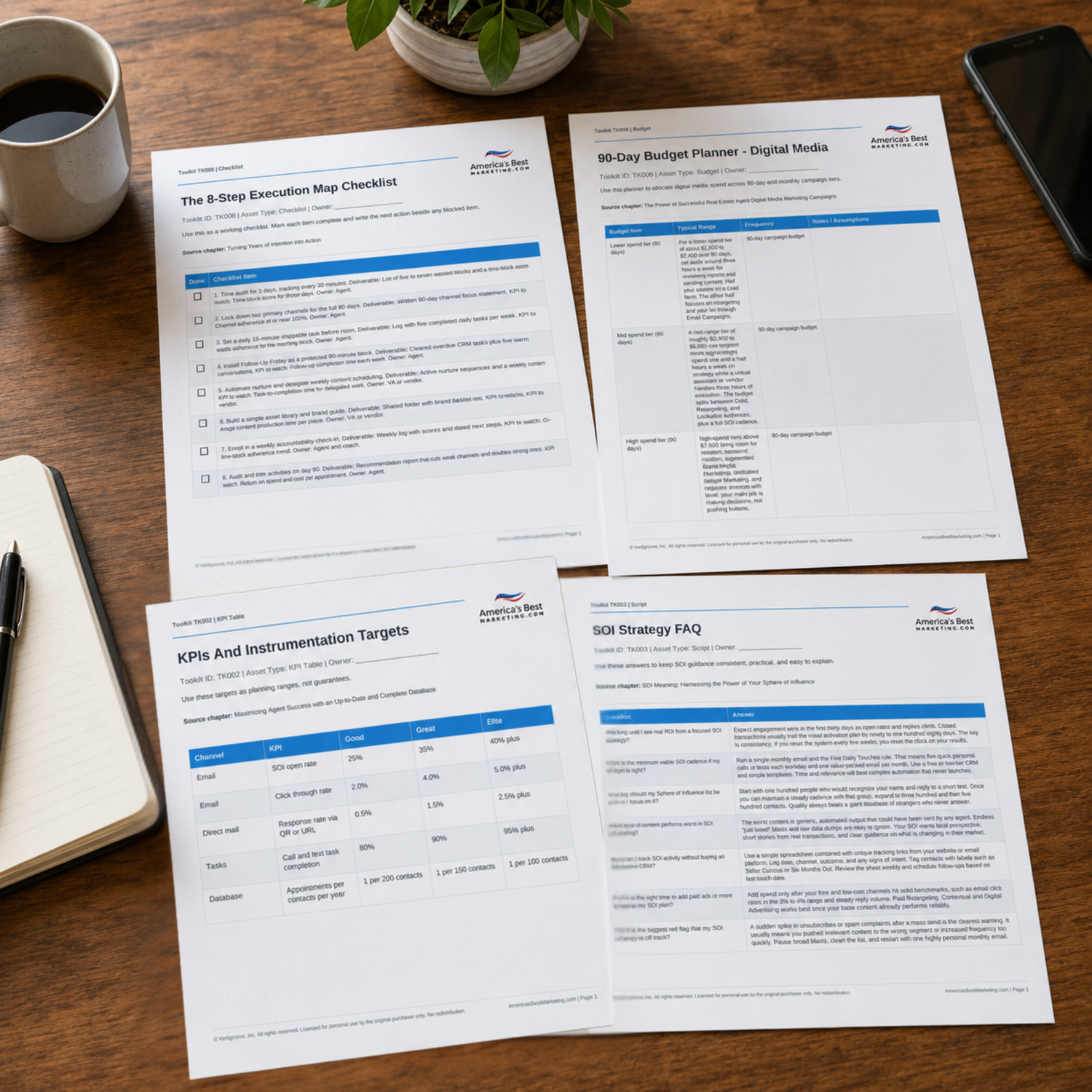
Download The Live Streaming Q&A Toolkit
Use the companion planning files to choose live topics, outline your first sixty seconds, promote the session, track KPIs, and turn every replay into clips, recap emails, website content, and follow-up prompts.
Download the Toolkit ZIPRecommended reads
Recommended Reads for Real Estate Agents
These articles help agents connect content planning, client education, local visibility, and follow-up into a more consistent marketing rhythm.

Video Testimonials: Shot List, Questions, and an Editing Workflow Real Estate Agents Can Repeat
Create video content with clearer scripts, simpler formats, and a cadence agents can actually maintain.
Read article
Home Inspection Waivers: Real Estate Agent Scripts, Risk Management, and Deal-Saving Options
Create more leverage from home inspection waivers with a clear path from attention to follow-up.
Read article
Real Estate Agent Video Marketing: Boost Conversions and Engage Clients with Effective Videos
Create video content with clearer scripts, simpler formats, and a cadence agents can actually maintain.
Read article
Video Checklists for Real Estate Agents: Property Tours, Reels, Testimonials
Plan social content with stronger themes, better cadence, and clearer reasons for people to engage.
Read articleLive Streaming Questions Agents Should Be Ready To Answer
What equipment do I need for professional live streaming?
You can start with a phone, a simple tripod, and a wired lav mic. Face a window or a soft lamp so your eyes are lit. Keep the background quiet and remove personal papers or addresses. The most important upgrade is audio clarity, because viewers forgive average video but they leave fast when sound is harsh or echoey.
How do I get people to actually show up to my live videos?
Promote it like an appointment, not a surprise. Send a 48 hour email that lists the three questions you will answer, then send a short reminder a few hours before you start. Post one teaser clip that states the problem and the time. During the live, remind late joiners what you are covering and invite one simple comment action.
What is the minimum viable cadence if my schedule is tight?
One live session per week is enough if you repurpose it. Keep the live to 20 minutes, then cut three clips and send one recap email. That pattern creates a steady drumbeat without eating your calendar. If weekly feels heavy, do every other week, but keep the day and time consistent so your audience knows when to expect you.
What content performs worst on a live stream?
Vague topics and long monologues perform poorly. A market update with no specific question loses viewers because it feels like news. Streams that start with five minutes of small talk lose replay viewers because there is no payoff. Also avoid neighborhood vibe commentary that drifts into steering. Keep it factual, keep it structured, and answer real questions with examples.
How should I title my replay so it keeps getting views?
Write the title like a problem statement with a local cue. Example: “How buyers can navigate rate volatility in your city” or “Three appraisal issues that delay deals in your county.” Put the most searched phrase first, then add your location cue. Add timestamps in the description so replay viewers can jump to the answer they want, which improves retention and watch time.
How do I stay compliant when I talk about neighborhoods on camera?
Avoid steering language tied to protected characteristics. Talk about objective factors such as commute time, lot size ranges, zoning, property taxes, and distance to amenities. If viewers ask about demographics, redirect to what they personally value and invite them to choose. Keep the focus on the property and the process. When in doubt, use data and maps, not opinions about who belongs where.
Next step
Build the System Behind the Advice
Continue from one useful article into the larger AmericasBestMarketing.com ecosystem: the book series for strategic depth and the full marketing program for done-for-you execution.

View the Book Series
Explore the America’s Best Real Estate Agent Marketing System books for a deeper strategic framework around visibility, referrals, listings, lead generation, and growth.
View the Book Series
See Full Marketing Program
See how AmericasBestMarketing.com runs real estate blog writing, social media, listing marketing, email, direct mail, and retargeting as one managed system.
See Full Marketing Program